Trailseek
Navigation
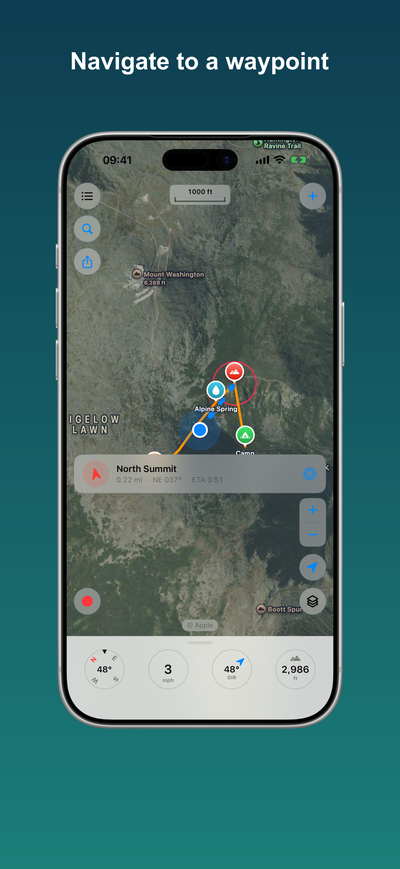
Trailseek does offline point navigation to a waypoint. It points you in a straight line, not turn by turn.
Navigate to a waypoint
Open a waypoint and choose Navigate. A pill shows: - An arrow that points to the waypoint relative to the way you are facing. - The straight-line distance. - The bearing, for example NE 041. - An estimated time of arrival when you are moving.
A dashed line connects you to the target on the map, and Trailseek tells you when you arrive. This works on any map style, including Blank, because it uses GPS and the compass, not the map tiles.
Search and go to
Use the search button to jump to a typed or pasted coordinate (offline) or to find a place by name (online). You can add a waypoint at the place you searched.